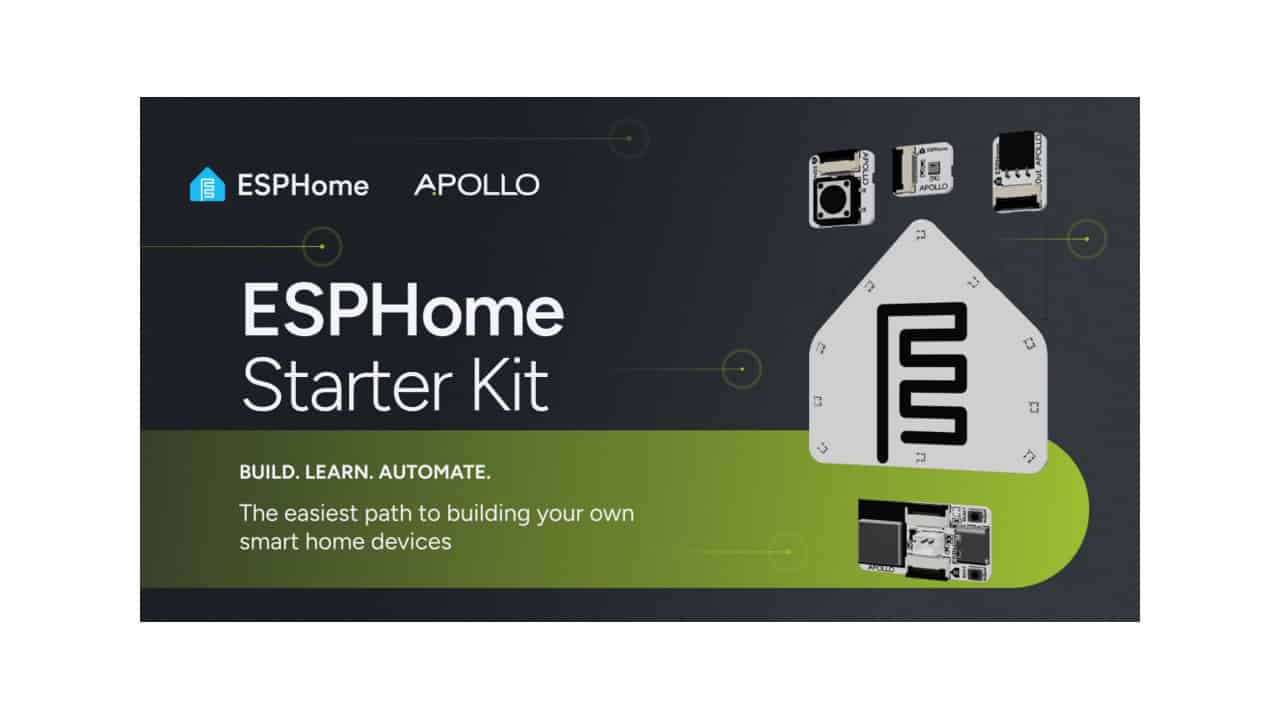
The new ESPHome Starter Kit is a beginner friendly way to build your own smart home gadgets without needing to solder, code, or hunt down parts. It is designed and produced by Apollo Automation, the Open Home Foundation’s second commercial partner, and centers on a modular board powered by an ESP32 C6 chip, so everything is built for local control and easy connection to Home Assistant and other supported platforms. The idea is simple: you plug in a few flat cables, pick a module, follow visual guides, and you end up with a real, usable device instead of a one time learning toy.
At the heart of every build is the ESP32 C6 microcontroller, which acts as the “brain” of your project. ESPHome software runs on this chip and handles talking to each module while also connecting to your home automation system. You do not need to write code to get going, and you do not need special tools beyond a USB C cable and somewhere to run ESPHome Device Builder, either a laptop or desktop or the Home Assistant setup you already have. Everything runs locally on your network, so your data stays in your home instead of being pushed to a cloud account.
The kit arrives as a single snap apart panel that holds the main board and all four modules, with the PIR sensor plugging into the motion module. Each module is attached by tiny breakaway tabs, so you just flex and snap them off by hand, with no soldering or messy wiring. Every module connects to the main board using flat ribbon cables, and they all plug in the same way. That means you can swap modules in seconds, reload a new ESPHome configuration, and turn the same board into a totally different smart device.
The physical parts are kept simple on purpose. You get the ESP32 C6 main board, four plug in modules, three flat ribbon cables including a spare, and a small stand that lets you display the notification module and its ESPHome logo. Power comes from a standard USB C cable you probably already own. Because the kit follows open standards and talks to Home Assistant and other compatible platforms, you do not need any special hub beyond what many smart home fans already use.
What makes this kit different is that every module is meant to become a permanent part of your home, not just a one time lesson. You can, for example, turn the motion module into a room motion sensor that flips on lights when someone walks in and turns them off after the room goes still. The notification module, lit by ten addressable RGB LEDs behind an ESPHome logo, can sit on your desk and glow red when you are in a meeting, or shift colors based on weather, mail delivery, or anything else you track with Home Assistant. By changing only software and automations, the same hardware can become a study timer, a door alert, or a “kids are awake” signal next to your bedroom door.
A short practical look at what you get and what you can build helps show how approachable it is. Out of the box, you have:
- One ESP32 C6 main board that plugs in over USB C
- Four snap off smart home modules, plus the PIR sensor that plugs into the motion module
- Three flat ribbon cables, one more than any single project uses at once, so you always have a spare
- A stand for displaying the notification module and its LEDs
With those parts and a computer, a beginner can build several real world devices and then wire them into the gear already on their network. The motion module can trigger hallway lights you already control from Home Assistant, the notification module can sit on your desk as a status light driven by your calendar, and the button module can be the thing that finally closes your smart blinds. Since the main board takes two modules at a time, you can pair a couple of them for one project and then reconfigure the same board for the next one.
Learning support is a big part of the Starter Kit. The Learning Wiki walks you through more than just “click here, plug this there.” It explains what each component does, how the hardware connects to the code, and how that all ties into your smart home system. You pick up the basics of electronics and device building by following real projects, which makes it easier to branch out later and design your own.
The ESPHome Device Builder tool is the other major piece. Instead of editing configuration files by hand, you use a simple interface to choose your modules and features, and it generates the ESPHome setup for you. You can get fully working devices without writing any code, but the underlying YAML is available if you want to learn or tweak. The tool runs locally, either as the free ESPHome Device Builder desktop app for Windows, Mac, and Linux or as the ESPHome Device Builder app you install inside Home Assistant, so you are working with gear you already have, not a special cloud site or locked platform.
Because everything is modular and reconfigurable, the Starter Kit is meant to grow with you instead of ending up in a drawer. You might start by building one basic motion sensor, then later reuse the same main board and a different module as part of a more advanced automation. Each time you swap modules or change the configuration in Device Builder, you are turning the same hardware into something new. Over time, that can mean a whole collection of custom built devices tailored to small needs that off the shelf gear does not quite solve.
Community support rounds out the package. People who pick up the ESPHome Starter Kit join a large group of makers who share projects and advice on the ESPHome Discord server and forum. You can post photos of your builds, ask for help on automations, or trade ideas for new module designs. On the Apollo Automation Discord, you can share feedback on the kit and what you would like to see next.
Every kit also helps fund open smart home projects. Most of the profit goes to the Open Home Foundation, which supports ESPHome, Home Assistant, Music Assistant, and other tools focused on local control and open standards. So while you are building your own smart home gear, you are also helping keep the broader ecosystem open and community driven.
View the original press release.