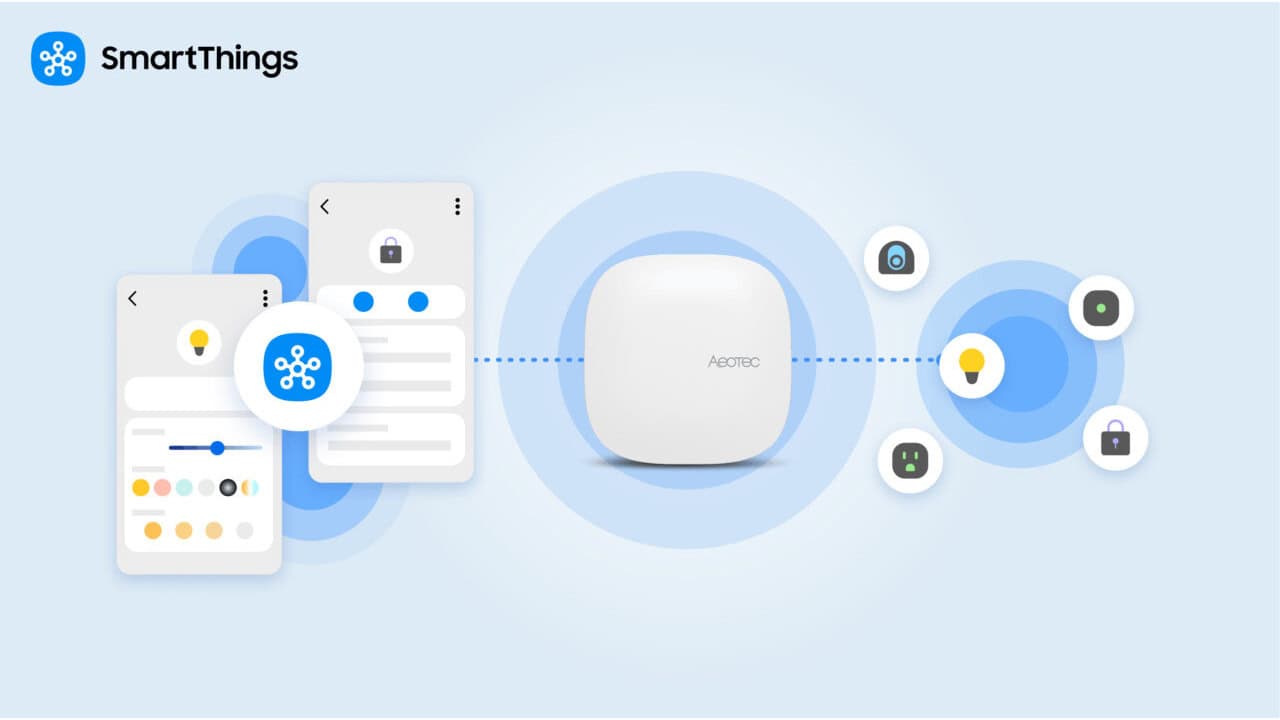
SmartThings local control is a new way for your SmartThings app to talk straight to your hub over your home network, so basic commands do not have to bounce through the cloud when you are at home. You do not have to set anything up or turn on a setting; it comes on automatically with the latest SmartThings app. The big change is simple: when your phone and hub are on the same home network, device commands can travel a shorter path, which can make your smart home feel quicker and more dependable, especially when your internet is slow or having issues.
What actually changed for SmartThings users
The main change is where your commands travel when you tap something in the SmartThings app while you are at home. Before this feature, even if you were standing right next to your hub, the app would send the command up to the SmartThings Cloud and then back down to your hub. Now, when your phone is on the same home network as your hub, the app finds the hub and connects to it directly, skipping that cloud detour.
That shorter path is what can make lights turn on more quickly and locks respond faster when you are at home. You might also notice that response times feel more consistent, because they are less tied to how busy or slow your internet connection is.
How local control works on your home network
Local control is all about the connection between your phone’s SmartThings app and your SmartThings Hub while you are on your home network. When both are on that same network, the app connects directly to the hub over your home network, and your commands stay inside your home. You do not see any buttons or toggles for this, and there is no mode to pick. The switch between talking locally to the hub and going through the cloud happens in the background.
If you leave the house or your phone moves off your home network, the app automatically falls back to the SmartThings Cloud. You still open the same app and tap the same buttons, but the path your commands take changes based on where you and your phone are. That is why your devices remain controllable both at home and away, even though the connection method is different in each case.
Local control vs. local execution: what is the difference?
Local control and local execution are related, but they handle different parts of how your smart home works. Local control covers the path between the SmartThings app and your hub.
Local execution is about what happens on the hub itself once a command or trigger is there. With local execution, Routines that involve hub-connected devices can run on the hub without depending on an internet connection. That means those Routines can keep working even if your hub loses its internet link, as long as the devices themselves are connected through the hub. Together, local control and local execution push more of the work into your home, so the hub can keep processing things locally instead of sending everything out to the cloud.
Which hubs support it
Local control works with three standalone hubs: the 2018 SmartThings Hub, the Aeotec Smarthome Hub 2, and the SmartThings Station. It also works with Samsung products that have a hub built in: Samsung Smart TVs, the Bespoke AI Refrigerator Family Hub, the Bespoke AI Hybrid refrigerator, and the Bespoke AI Laundry Combo. Samsung Smart TVs with a built-in hub have been getting local control since October 26, 2026, and availability can still vary by model, region, and network environment.
If you have a Samsung TV with a built-in hub, you can activate that hub and take advantage of local control once it is available for your model and region. Samsung points TV owners to a guide called “How to Activate the SmartThings Hub Built Into Your Samsung TV” for step-by-step directions on getting that hub feature turned on. If your hub is not on that list, SmartThings does not currently list it as supported for local control.
What still needs the internet
Away from home, the SmartThings app still controls your devices through the SmartThings Cloud, so remote control needs an active internet connection. Local control only applies when your phone and hub are on the same home network.
At home during an internet outage, all devices that are connected directly through a supported hub can still be controlled locally from the SmartThings app, as long as your phone is on your home network. That means hub-connected lights, locks, and other devices can keep responding locally. Devices that connect directly to Wi-Fi or to their own cloud without using a hub, along with cloud-to-cloud partner connections, still require an active internet connection. If your internet goes out, those hub-less Wi-Fi devices and cloud-to-cloud connections cannot be controlled through SmartThings until your connection comes back.
What this means for your day-to-day smart home
Local control is meant to make everyday actions feel more reliable. Turning on a light, locking a door, or checking a hub-connected device while you are at home now depends less on the condition of your internet service. Local control keeps the command path inside your home network, and local execution lets Routines involving hub-connected devices keep running even if the hub’s link to the cloud drops.
SmartThings says it plans to keep building on the hub’s local capabilities over time, in line with a wider industry push to shift more processing to edge devices like the hub itself. The goal is straightforward: common smart home tasks should feel quick and keep working when your internet has a bad day.
View the original press release.