If you only need to see who’s at your front door, get a video doorbell. If you want to watch your whole yard, driveway, or multiple entry points, get a security camera. Most people who try both end up keeping both, since a doorbell can’t see your backyard and a yard camera can’t ring when someone knocks at the door. This guide breaks down field of view, installation, storage costs, and specific models so you can figure out what your house actually needs.
Doorbell vs. Camera: At a Glance
| Feature | Video Doorbell | Security Camera |
|---|---|---|
| Field of view | Roughly 130-180°, tall and narrow, built for a doorway | Roughly 100-180°, built for open areas |
| Typical placement | Front door, eye level | Backyard, driveway, garage, side entries |
| Power options | Battery, or wired into existing doorbell chime wiring | Battery, plug-in, or hardwired/PoE |
| Storage | Cloud subscription is common; some models record locally with no monthly fee | Local microSD, NVR, or cloud subscription, depending on model |
| Two-way audio | Standard on nearly every model | Standard on most modern models |
| Typical price | Under $130 for most models | Under $250 for most single cameras |
Which One Should You Get?
Match the device to what you’re actually trying to watch. Here’s how to decide.
Get a Video Doorbell If…
- You rent and can’t run new wiring or mount hardware on an exterior wall.
- Package theft at the front door is your main worry.
- You already have doorbell wiring and just want a smart swap.
- You mainly want to see and talk to whoever’s on the porch, not monitor the whole yard.
Get a Security Camera If…
- You need to watch a backyard, driveway, or side gate a doorbell simply can’t see.
- You want continuous or scheduled recording instead of motion-triggered clips only.
- You’re covering a detached garage, shed, or another spot with no chime wiring nearby.
Get Both If…
- Your front door isn’t your only entry point, or you’ve had package theft plus activity around back.
- You want full-property coverage and don’t mind running a second app, or a hub that combines both.
Primary Use Case and Placement
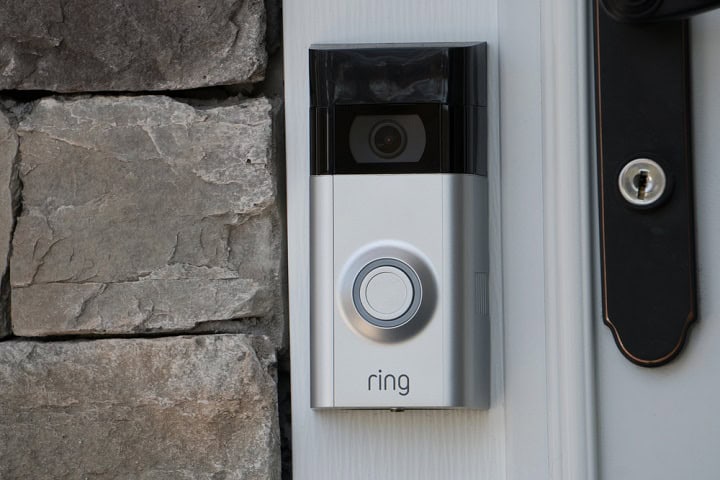
Smart doorbells are often used to monitor the front entrance of a home. They are particularly useful for seeing and talking to visitors without opening the door. These devices are popular for tracking deliveries, ensuring packages are not stolen, and knowing when guests arrive. Smart video doorbells are typically installed at eye level near the door, allowing them to capture clear images of anyone standing at the entrance.
Battery models like the Ring Battery Doorbell skip any wiring and mount in about ten minutes, though you’ll want a subscription plan to store more than the live view. Reolink’s wired video doorbell goes the other direction: no monthly fee, since it records locally to a microSD card or NVR while still covering the whole porch. Our review of Reolink’s package-detecting doorbell covers how well it catches deliveries in practice.
Home security cameras, on the other hand, have a broader range of uses. They are commonly placed around different parts of a property, such as backyards, driveways, and garages. These outdoor security cameras are often mounted on walls or ceilings to provide a wide field of view. Security cameras can be used to keep an eye on multiple entry points, track movement around the premises, and offer a more comprehensive security solution compared to the more localized focus of video doorbells.
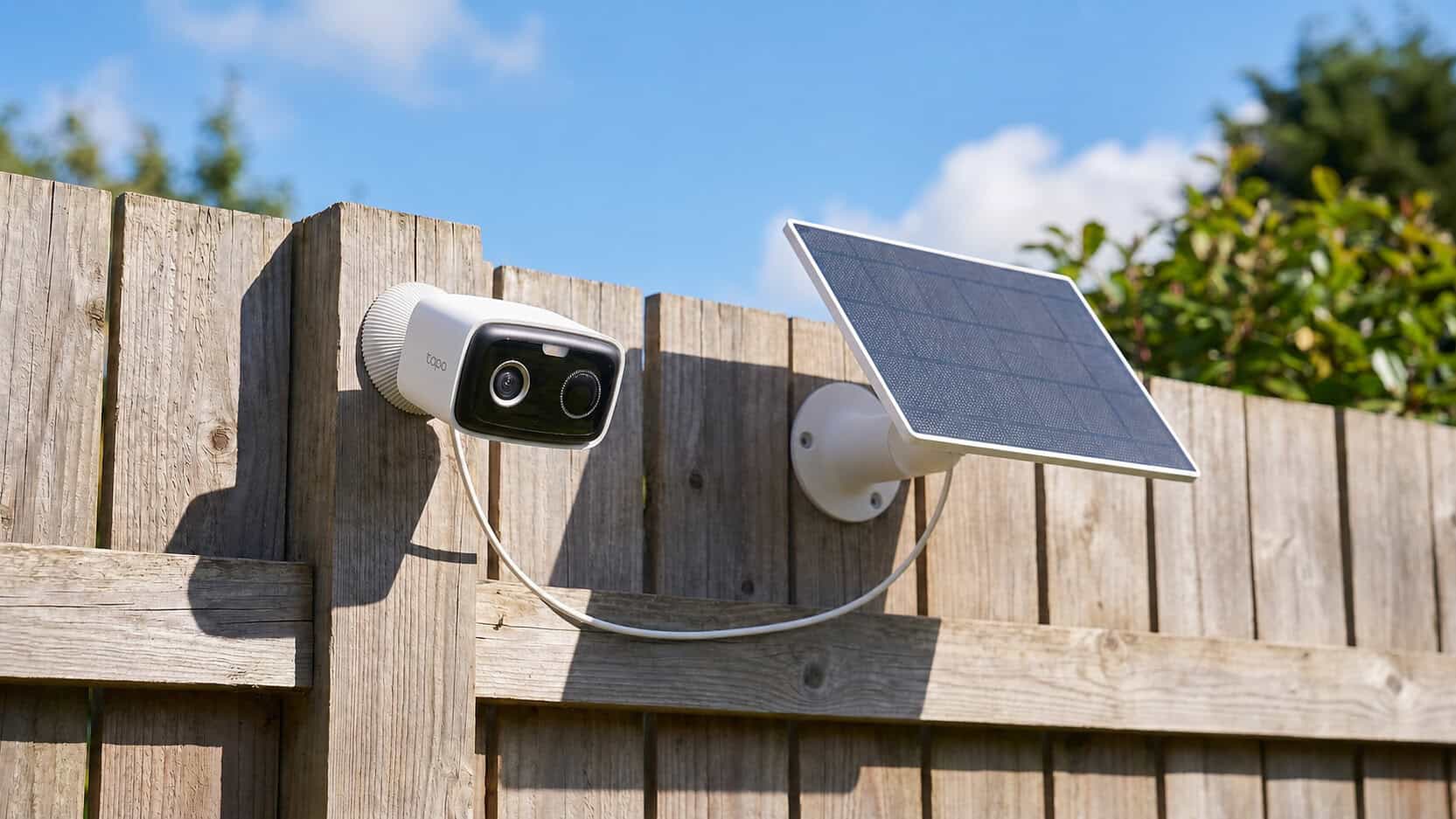
On the budget end, the Wyze Cam v4 costs under $50 and stores clips locally on a microSD card, with a paid Cam Plus plan as an option rather than a requirement. The TP-Link Tapo C320WS sits in the same local-storage-first camp, with an optional cloud plan for clip history. For wider coverage, the Reolink Duo Floodlight camera stitches two lenses into a 180-degree view and adds a motion-triggered floodlight, still with no subscription required for local recording.
Installation Comparisons
When considering setting up a video doorbell, the process generally involves replacing an existing doorbell or installing a new one near your front door. This often requires some basic wiring work or the use of a battery-operated model. Most video doorbells come with a detailed manual and mounting hardware, making the installation a manageable task for the average person. A Wi-Fi connection is necessary for most doorbells to function properly. You also might need to install an app on your smartphone to complete the setup and adjust settings.
On the other hand, setting up security cameras can vary based on the type of camera you choose. Wired cameras might require more extensive installation, including running cables through walls and connecting them to a power source. Wireless security cameras offer a simpler setup, as they usually only need to be mounted and connected to Wi-Fi. Placement is key for security cameras, ensuring they cover the desired area adequately. As with video doorbells, most security cameras come with instructions and the necessary hardware to assist in the installation process. Depending on your comfort level with these tasks, you might consider hiring a professional for either option.
Features and Video Quality
Video doorbells come with several features that are designed to help you monitor the entrance of your home more easily. They usually have a built-in camera, microphone, and speaker. This two-way audio allows you to see and talk to visitors through your smartphone or another connected device. The video quality of these doorbells can vary, but many offer high-definition resolution to provide a clear view of the person at your door. Some models include motion detection, which can send alerts to your phone when movement is detected, along with night vision capabilities for monitoring in low light conditions. They can often distinguish between people, automobiles, and animals in the video feed and be set to only notify when one of these is detected. Some models come with facial recognition, allowing it to tell you when family members are at the door. There are even models that specifically track packages, great for being notified when a delivery arrives.
Security cameras, on the other hand, are often used for broader surveillance purposes and can be placed in various locations around your property. They generally offer a wider range of features compared to video doorbells. These features can include a larger aspect ratio and field of vision, higher video resolution, better night vision, and more extensive motion detection zones. Security cameras can also have options for local storage (like a microsd card) or cloud storage, allowing you to review video footage at a later time. Some security cameras are equipped with advanced features like pan, tilt, and zoom, giving you greater control over what you can see. There are also models that support on device detection of people, animals, and automobiles, allowing you to restrict notifications to when something is detected. The choice between video doorbells and security cameras often depends on the specific needs and preferences of the homeowner.
Frequently Asked Questions
Can a video doorbell replace a security camera?
Not fully. A doorbell only sees what’s directly in front of it, so it can’t cover a backyard, driveway, or side gate the way a dedicated camera can. If your whole property needs eyes on it, a doorbell alone leaves gaps.
Do I need both a doorbell and a camera?
Only if you have more than one area to watch. A single-entry home with no side or backyard access can often get by on a doorbell alone, while a property with multiple approaches usually benefits from both.
Do video doorbells record 24/7?
Most doorbells, including the Ring Battery Doorbell, only record short clips triggered by motion or a button press to save battery life. Wired models like Reolink’s video doorbell can offer continuous recording since they don’t rely on a battery, and it doesn’t require a subscription to do it.
Do they work without a subscription?
It depends on the model. Some, like Reolink’s video doorbell and floodlight camera, record and store locally with no monthly fee, while others, like the Ring Battery Doorbell, work fine as a live-view doorbell without a subscription but need one to save video history.
In Summary
Choosing between a video doorbell and a security camera depends on your specific needs and the areas you want to monitor. If you’re looking to keep an eye on your front door and interact with visitors directly, a video doorbell might be the better choice. It offers convenience and direct communication features. On the other hand, if you need to cover larger areas or multiple entry points around your property, security cameras provide a broader surveillance option with more advanced features. Consider how you plan to use these devices, your comfort level with installation, and the specific security requirements of your home to make the right decision.